One Windows app for every server you run: live players and score, matches, rotation and settings,
with one ban list shared across all of them. All over the game's RCON, all one click away.
Windows 10/11 · 14-day free trial · then €9.99/month excl. VAT · cancel anytime
Shared ban lists
One ban list for all your servers
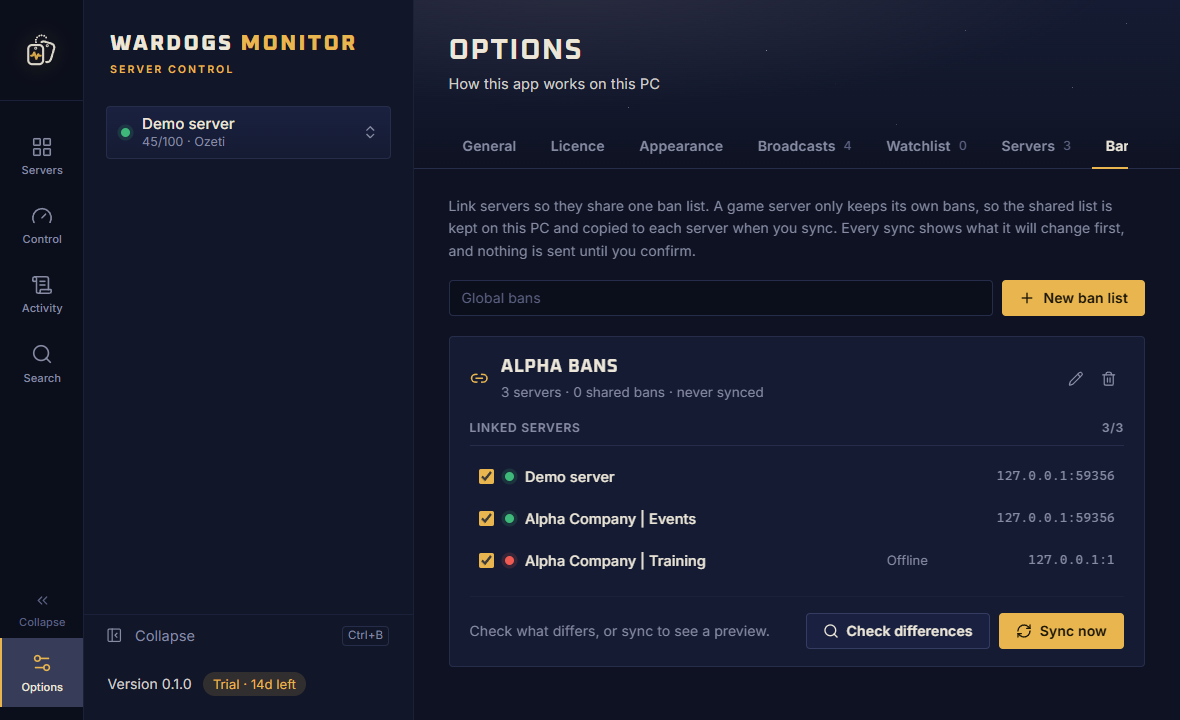
Ban a cheater once and they are gone from every server you link. Wardogs Monitor keeps your servers' bans in step,
and always shows you what will change before it changes anything.
Link servers under Options → Ban lists
Ban someone on one linked server and the ban is queued for all of them
Lift a ban through the app and it is lifted everywhere
Offline servers are skipped and caught up next time
Every change is logged
Every sync shows you first
On start, or when you press Sync, the app compares the bans on every linked server and previews each one:
+3 bans to add−1 to lift.
Nothing is written until you confirm.
Each server still keeps its own ban list, because the game stores bans per server. The app keeps them in step.
What it does
The whole RCON toolbox, one window
Everything the game's RCON lets you do, laid out so you can do it fast, on every server at once.
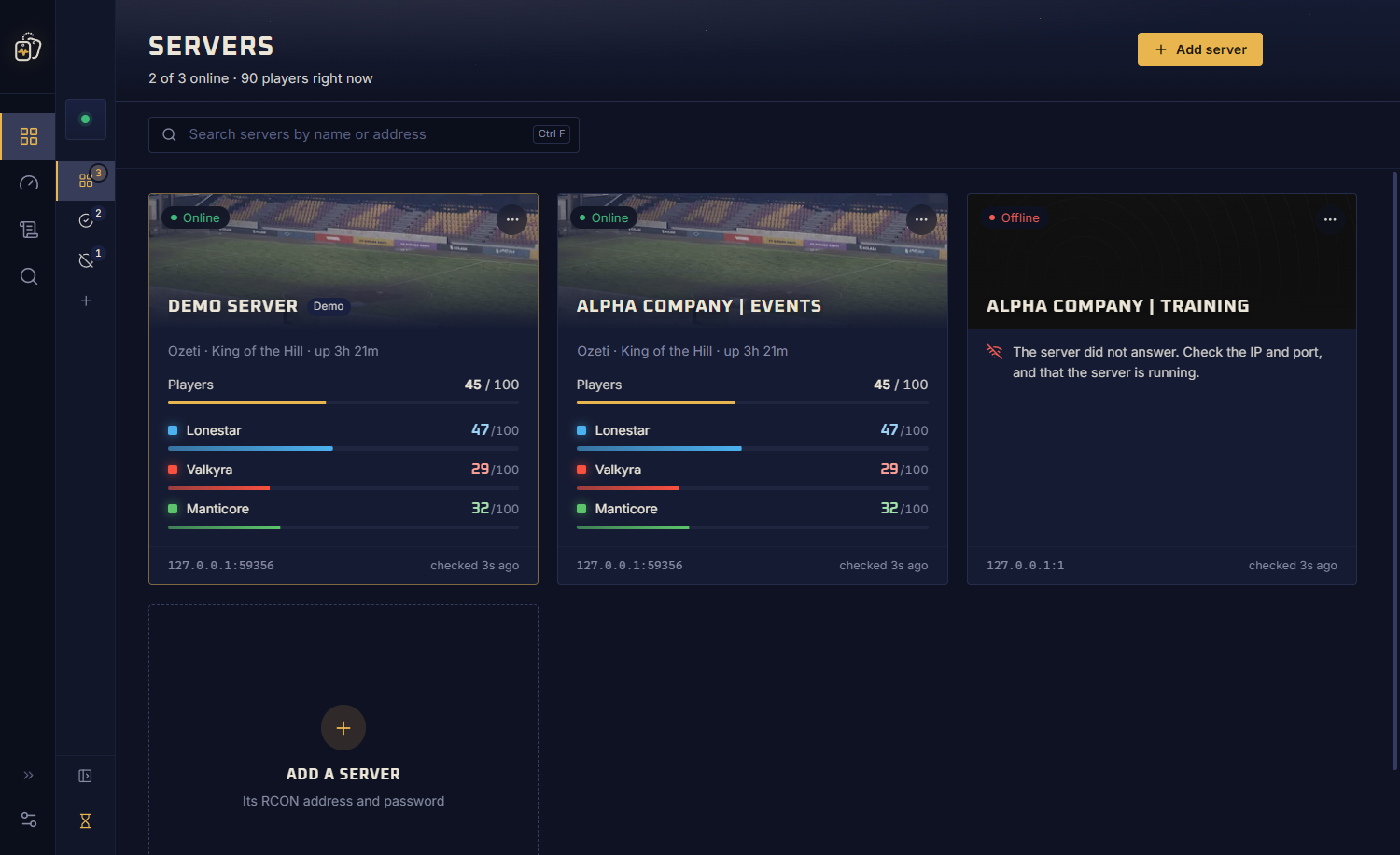
Every server at a glance
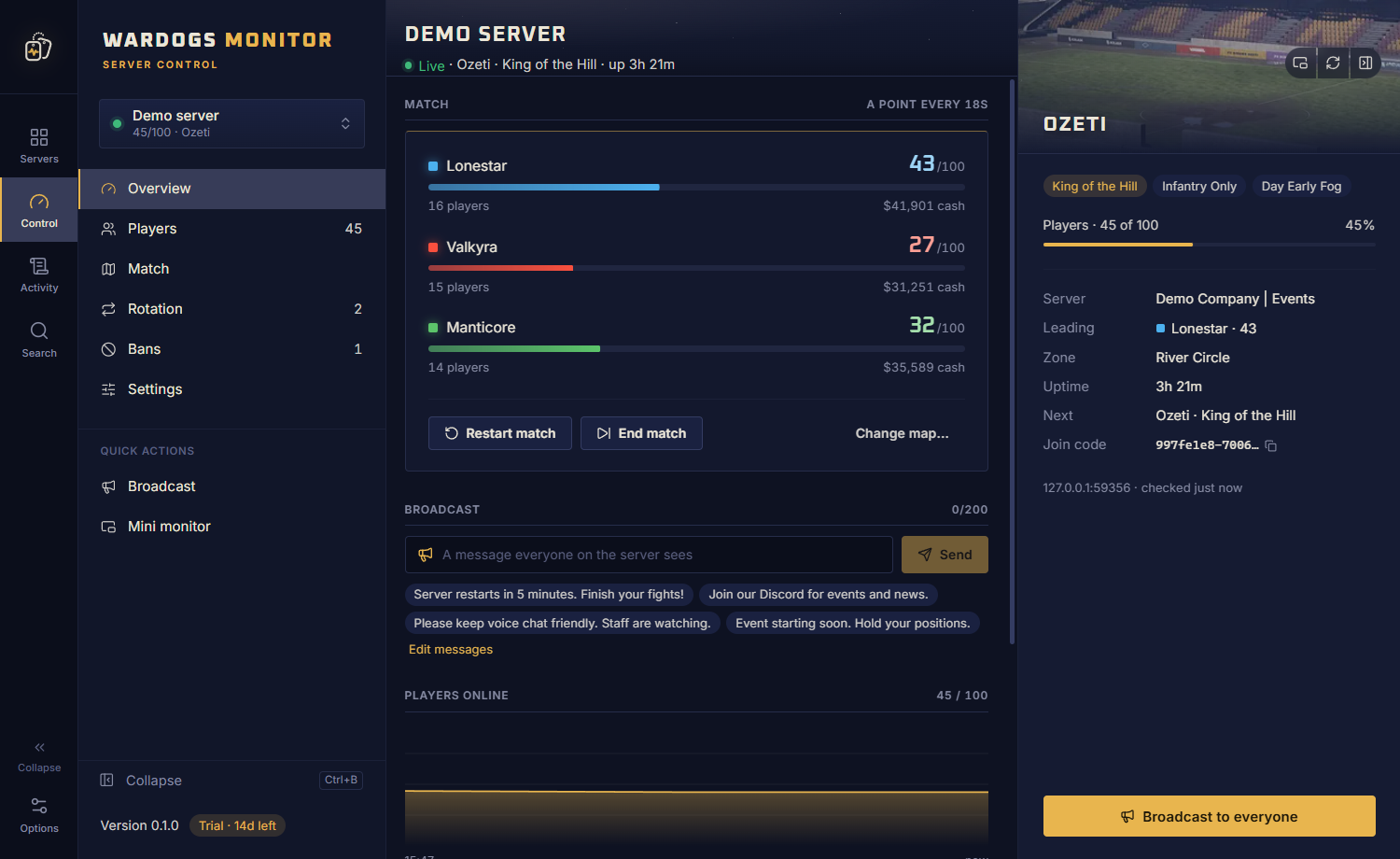
Server cards with live status, player count and score race. Switch servers from anywhere.
Shared ban lists
Link servers to one ban list that stays in step. Manage bans, even for players who already left.
Live overview
Score race, players over time, top players and recent activity for each server.
Player control
Sort, filter by faction, search. Right-click to message, move, kill, kick, ban or watch.
Match control
Restart, end, or travel to any map, mode, modifier, lighting and zone.
Rotation
Build your map playlist with drag and drop.
Broadcast
Message the whole server, with ready-made messages one click away.
Server settings
Join password, reserved and player slots, level and cash limits, team balance, name and banner.
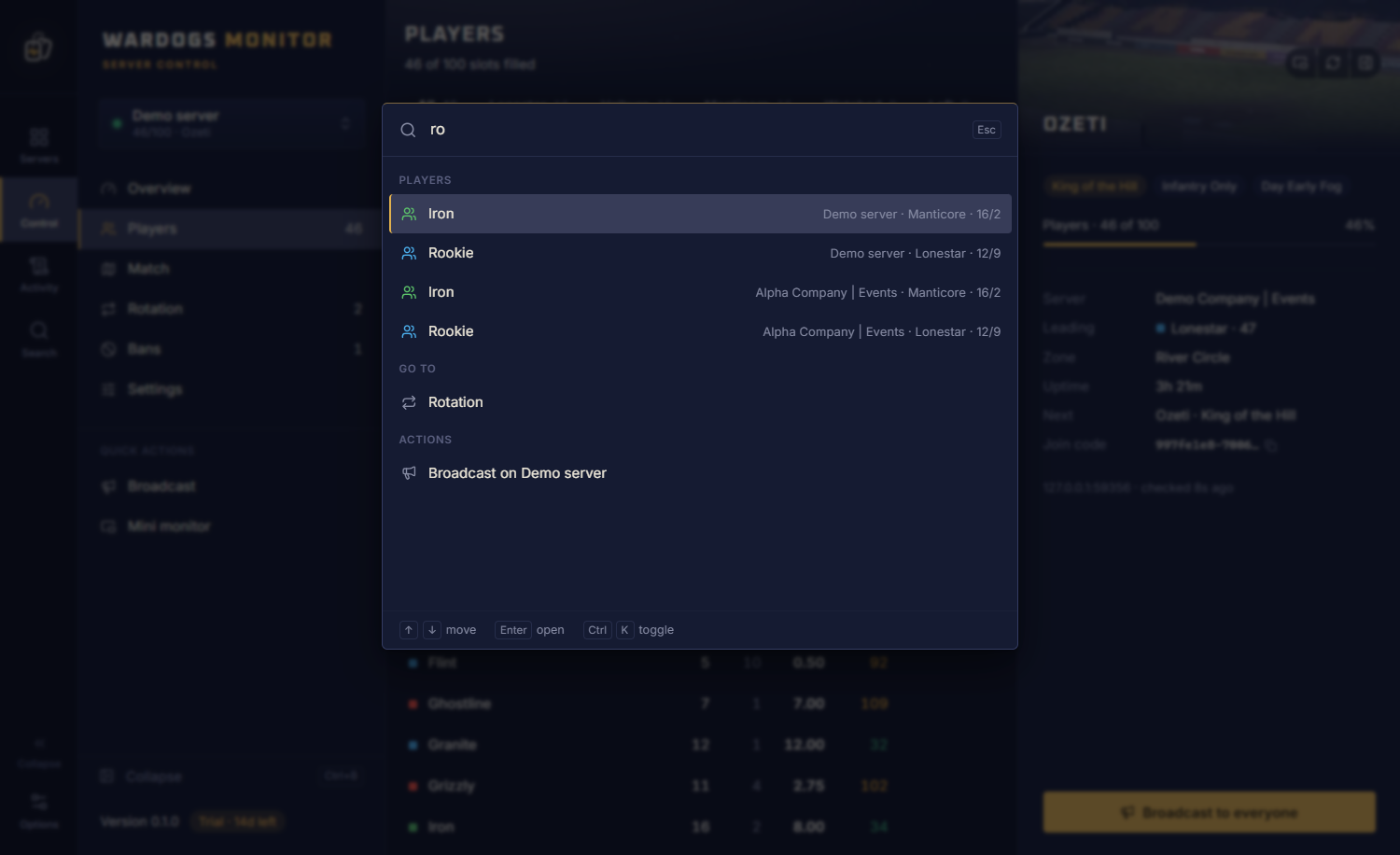
Ctrl+K search
Find any player, page or action across every server you run.
Watchlist
Get a Windows notification the moment a watched player joins.
Down alerts
Know when a server goes down, and when it comes back.
Mini monitor
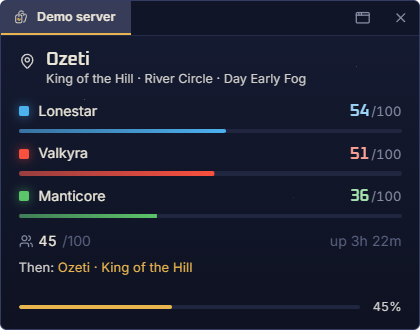
An always-on-top window with the score and players while you play.
Activity log
Catch up on what happened while you were away.
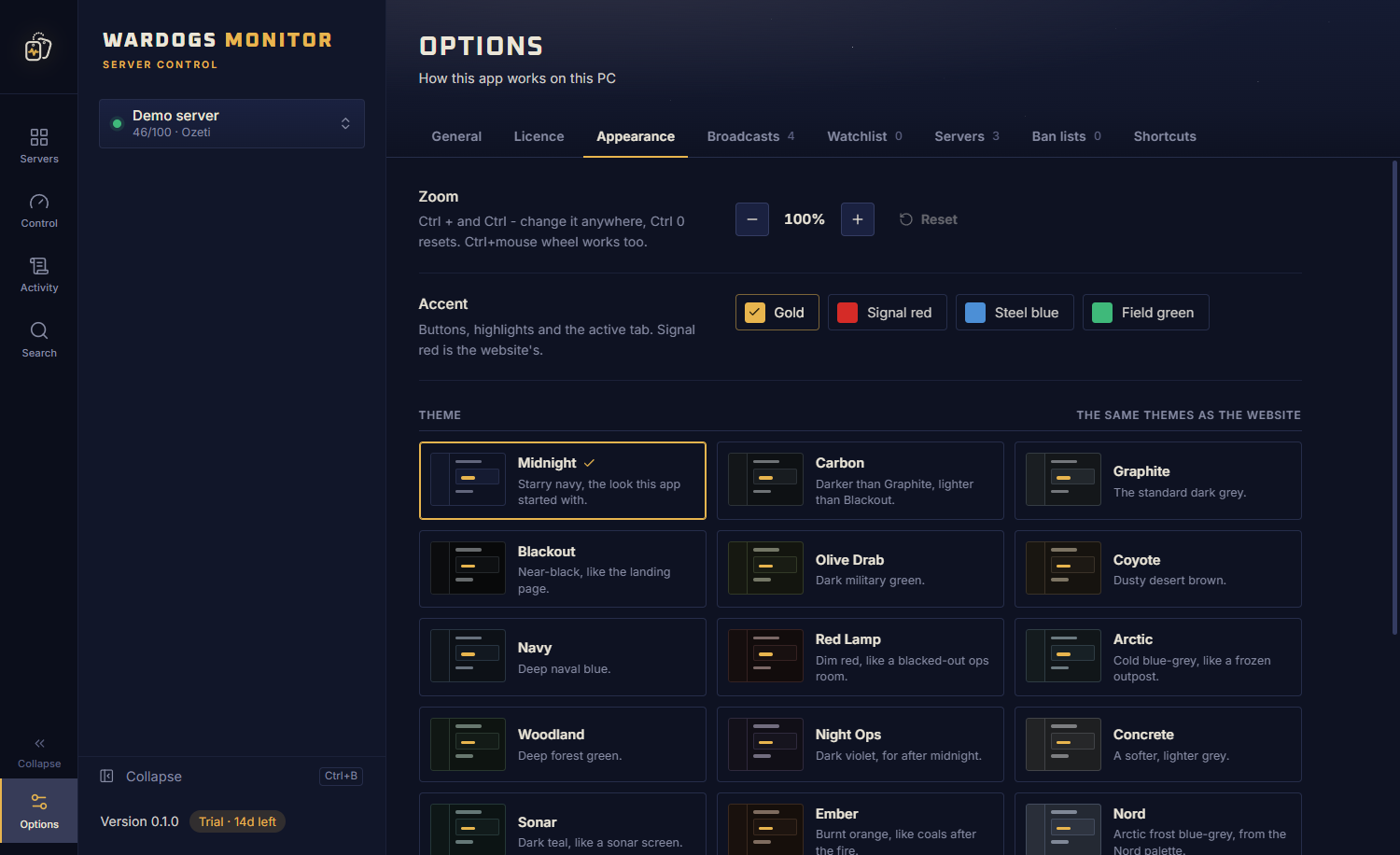
24 themes
From Midnight to Olive Drab. Pick a theme and accent that suit you.
Demo server
Try every button safely on a built-in demo before touching a live server.
Safe by design
Passwords encrypted with Windows DPAPI. Licence keys checked offline.
A closer look
Built by admins, for admins
The things you do every match, without typing a single RCON command.
Players
Every player, one right-click away
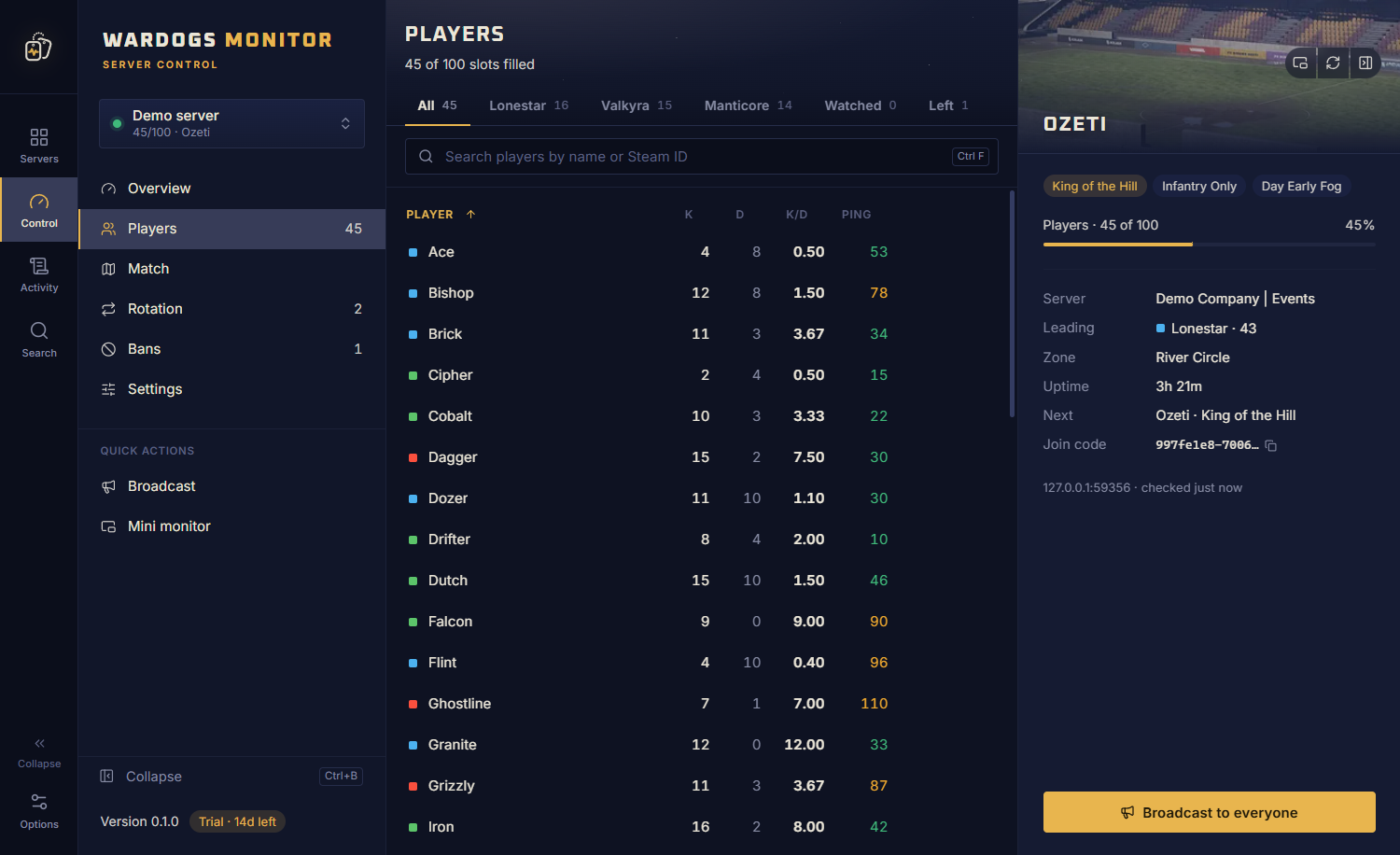
A live table of everyone on the server, with kills, deaths, cash and ping. Spot the trouble-maker and deal with them in two clicks.
Right-click to message, move faction, kill, kick, ban or watch
A Left tab, so you can still ban someone who rage-quit
Sort by name, score or ping, filter by faction, search by name or Steam
Match
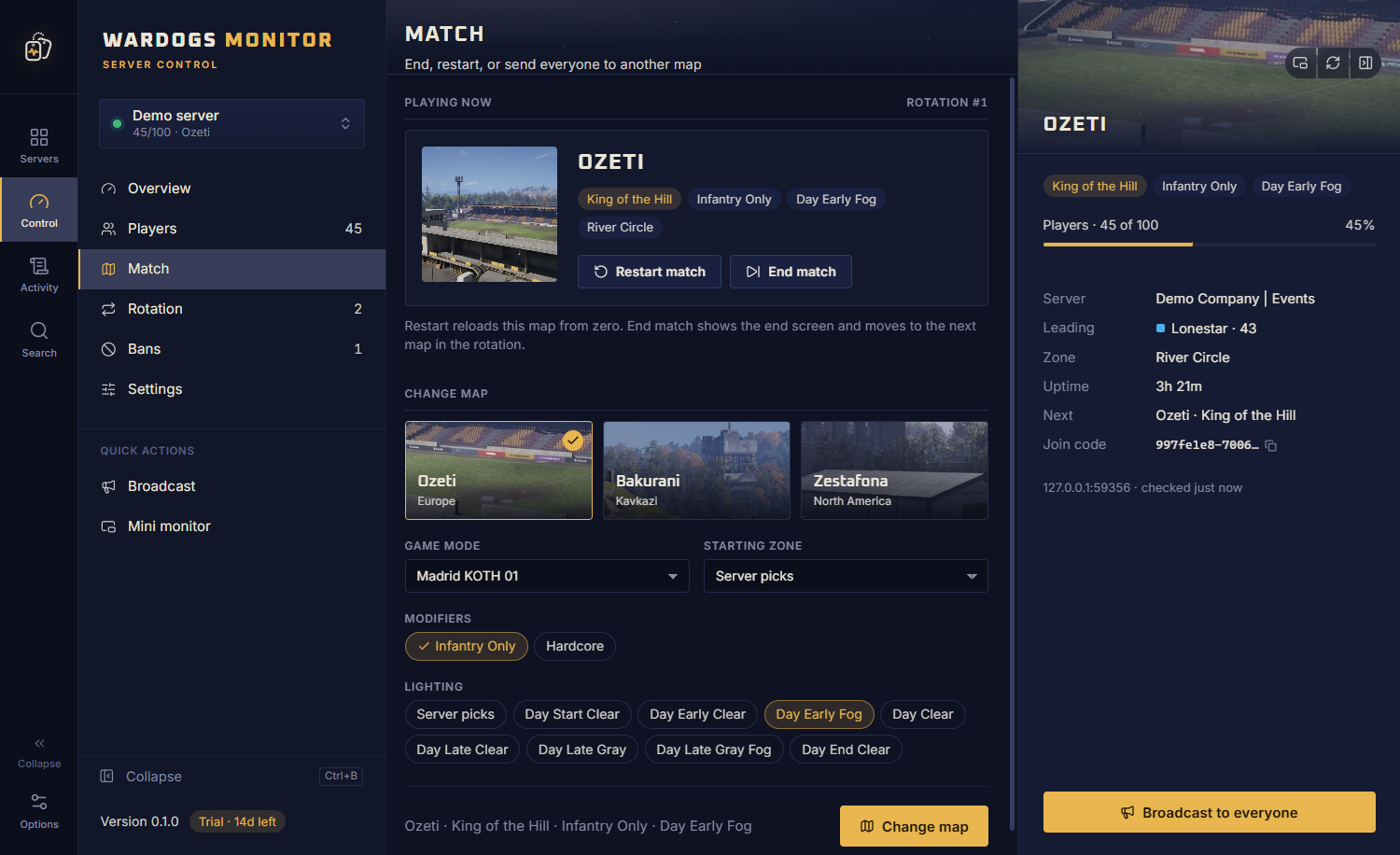
Change the match without leaving your desk
Restart the round, end it, or send everyone somewhere new. Pick the map and every option in one place, then travel.
Travel to any map, game mode, modifier, lighting and zone
Drag and drop your map rotation
Server settings: join password, slots, level and cash limits, team balance, name and banner
Ctrl+K
Find anyone, on any server
Press Ctrl+K from anywhere and start typing. Jump straight to a player on another server, or broadcast without clicking around.
Players, pages and actions across every server
Keyboard first: arrows, Enter, done
Servers
All your servers on one screen
Each server gets a card with its status, players and live score race. Collapse the sidebar for more room and switch servers from anywhere.
Alerts when a server goes down, and when it is back
Watchlist: a Windows notification when a watched player joins
An activity log of what happened while you were away
Mini monitor
Keep watch while you play
Pop out a small always-on-top window with the map, score race, player count and what is up next. Park it on a second screen, or in a corner of your game.
Themes
24 themes. Make it yours.
From Midnight to Olive Drab, Red Lamp to Arctic. Pick the look that fits your ops room, then get to work.
Four accent colours and interface zoom
A demo server to try every button safely
Passwords encrypted with Windows DPAPI
How it works
Up and running in a minute
01
Step 1: Download
Grab the installer and run it. Your 14-day trial starts straight away: no card, no account.
02
Step 2: Connect your server
Add a server with its RCON address and password. Or open the demo server and click around first.
03
Step 3: Run it
Watch your players, steer the match, handle trouble. Subscribe once you are convinced.
Pricing
One plan. Every feature.
Unlimited servers and 3 PCs, with every feature and every update. Try it free for 14 days,
then pay monthly or yearly and cancel whenever you like.
Wardogs Monitor
Unlimited servers
Everything in Wardogs Monitor, for as many servers as you run.
€9.99/month
Billed monthly · excl. VAT
€99/year2 months free
Billed yearly · excl. VAT
3 PCs · cancel anytime
Everything in Wardogs Monitor
All updates included
Free 14-day trial, no card needed
Secure checkout with Stripe. Your licence key arrives by email right after payment.
Manage subscription
FAQ
Questions, answered
Which servers does it work with?
Any Wardogs server you have RCON access to, whether you host it yourself or rent it from a provider. All you need is the RCON address, port and password. Add every server you run and switch between them in a click.
Can my servers share one ban list?
Yes. Under Options → Ban lists, link the servers that should share bans. When the app starts, or when you press Sync, it compares the bans on every linked server and shows what it would change on each one, such as +3 bans to add and −1 to lift. Nothing is written until you confirm. After that, banning someone on one linked server queues the ban for all of them, and lifting a ban through the app lifts it everywhere. Servers that are offline are skipped and caught up next time, and every change is logged. Each server still keeps its own ban list, because the game stores bans per server; the app keeps them in step.
Is my RCON password safe?
Yes. Passwords are stored only on your PC, encrypted with Windows DPAPI, so they are tied to your Windows account and useless if the file is copied elsewhere. They are only ever sent to your own server. Licence keys are checked offline.
What does a licence include?
Everything. Every licence includes every feature, unlimited servers and 3 PCs, plus all updates for as long as you subscribe. There is one plan, so there is nothing to compare: just pick monthly or yearly.
Is VAT included in the price?
No: prices are shown excluding VAT. At checkout, Stripe adds the VAT that applies where you live and shows the total before you pay; businesses with a VAT number can enter it there.
What happens after the trial?
For 14 days everything works, with as many servers as you like and no card needed. After that, the app asks for a licence key: subscribe here, monthly or yearly, paste the key under Options → Licence and carry on. Your servers and settings stay right where they were.
What happens if I cancel?
Your subscription simply stops renewing. The app keeps working until the end of the period you have already paid for, then asks for a key again. Subscribe again any time and pick up where you left off.
How do I manage or cancel my subscription?
Open Manage subscription. It takes you to Stripe’s secure customer portal, where you can switch between monthly and yearly, cancel, update your payment details and download invoices.
Can I move my licence to another PC?
Yes. Each licence can be active on 3 PCs at once. On the old PC, open Options → Licence → Remove from this PC, then activate the key on the new one.
Can I get a refund?
The 14-day trial lets you try everything before you pay, and you can cancel any time so you are never billed for another period. If something is still not right, email us and we will work it out.
Does it work on Mac or Linux?
No, Wardogs Monitor is Windows only for now: Windows 10 or 11, 64-bit.
I lost my licence key. Now what?
No problem: have it sent again
to the email address you used at checkout.
Ready when your server is
Download the free trial and have your first server connected in a minute.