Skip to content

Shared bans for Wardogs

One ban list for all your Wardogs servers

A Wardogs server only remembers its own bans, so a cheater banned on one server can join the next. Link your servers to one shared ban list and ban once, everywhere.

Windows 10/11 · 14-day free trial, no card needed

Options, Ban lists: a ban list linking three Wardogs servers, with how many bans they share, when they last synced, and Check differences and Sync now buttons.

How it works

Ban once. Every server knows.

Your servers keep their own ban lists, as the game requires. Wardogs Monitor keeps them in step.

  1. 1

    Link your servers

    Under Options → Ban lists, pick the servers that should share bans. Make one list for all of them, or several.

  2. 2

    Check the differences

    The app compares the bans on every linked server and shows exactly what it would add or lift on each one. Nothing changes until you confirm.

  3. 3

    Stay in step

    From then on, a ban on one linked server reaches all of them, and lifting it through the app lifts it everywhere. Offline servers catch up later.

Safe by default

See every change before it happens

Syncing never surprises you. You see what changes on which server, and you decide.

  • A preview per server: bans to add and bans to lift
  • Nothing is written until you confirm
  • Every change is logged in the activity log
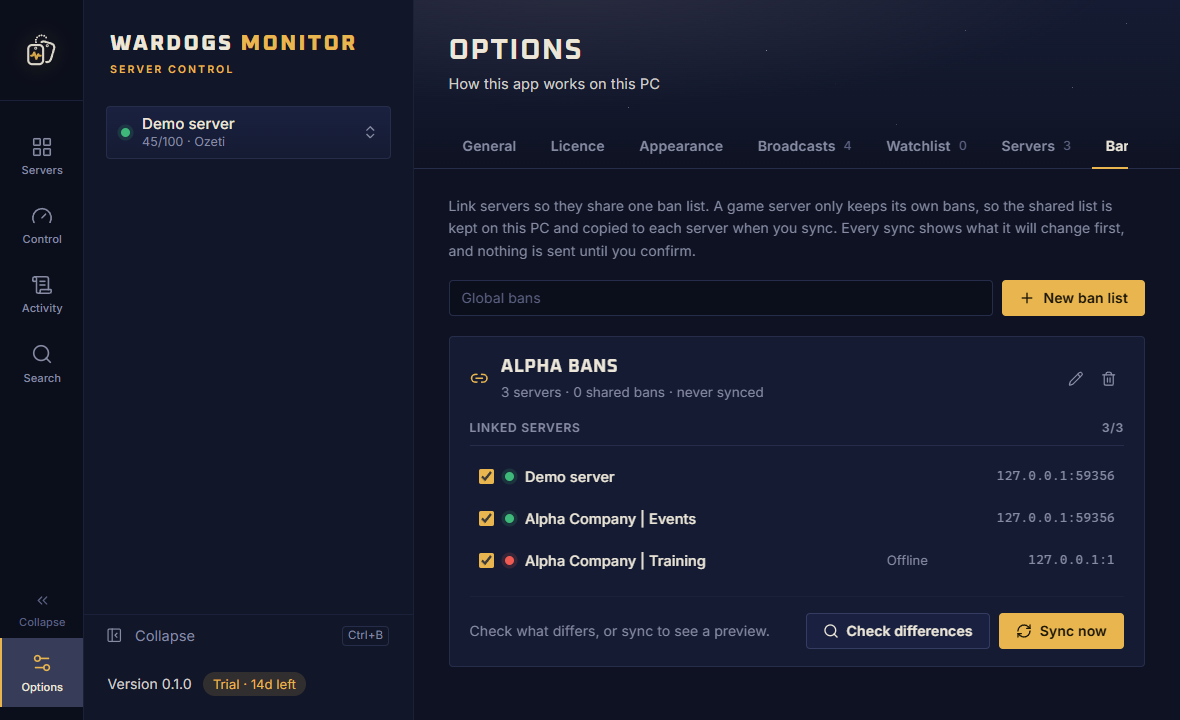
A Wardogs ban list with three linked servers and buttons to check the differences or sync now.

No one slips through

Ban players who already left

The player who caused trouble and quit is still one click away, on every server you link.

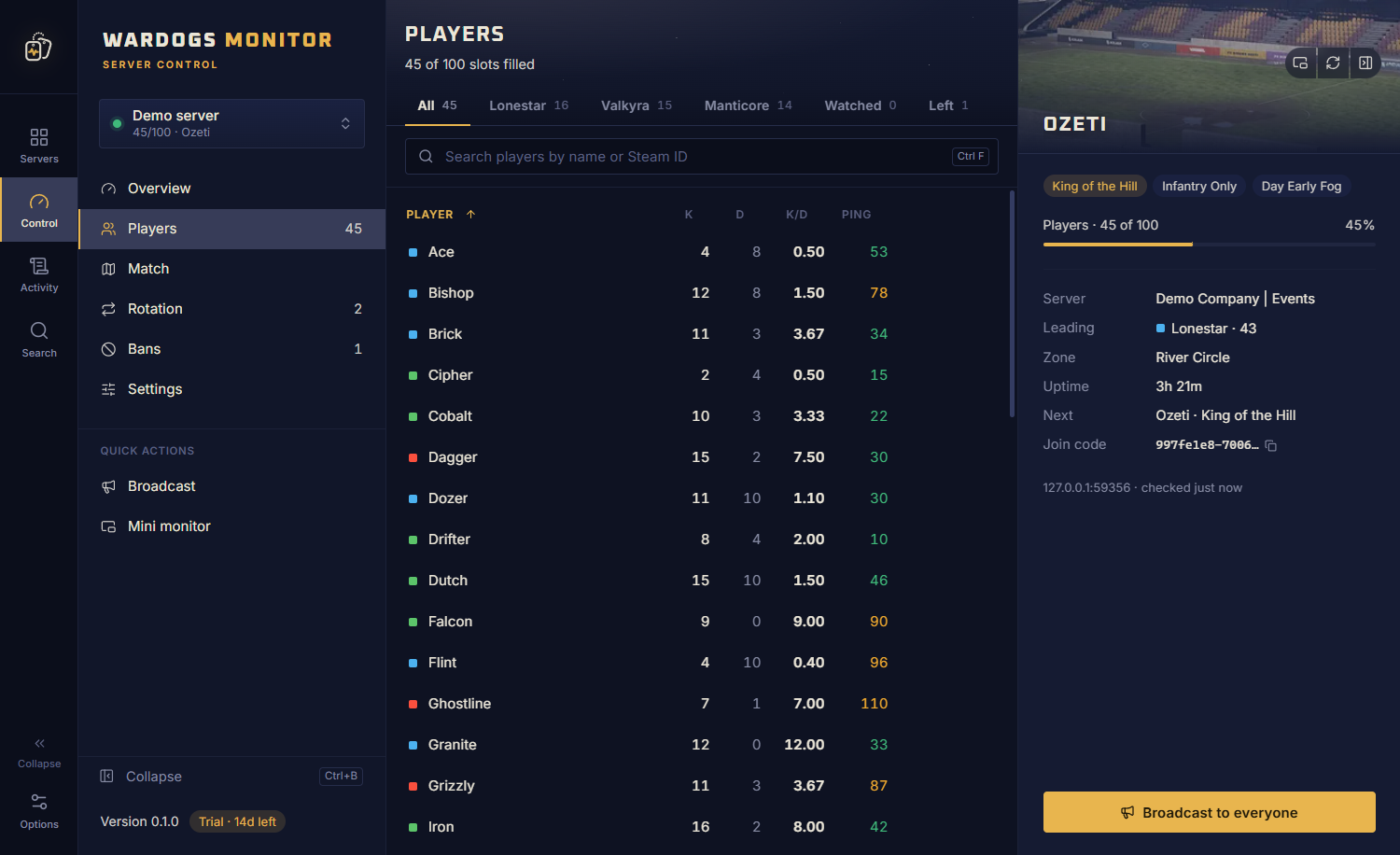
  • A list of everyone who left since the app opened
  • Ban any Steam ID by hand
  • Watch a player and get notified when they join any server
The players page of a Wardogs server with tabs for each faction, watched players and players who left.

FAQ

Shared bans, answered

Does Wardogs have a global ban list?

Each Wardogs server keeps its own ban list. Wardogs Monitor links the servers you choose so they share one list: it compares their bans, shows what it would add or lift on each server, and keeps them in step after you confirm.

What happens when I ban someone on one server?

If that server is linked, the ban is queued for every other server in the same ban list and written to each of them. Lifting a ban through the app lifts it on all of them too.

What if a server is offline during a sync?

It is skipped and caught up the next time it is reachable. Every change is logged, so you can see what was added or lifted, and where.

Can I ban a player who already left?

Yes. The players page keeps a list of everyone who left since the app opened, so you can still ban them, and you can ban any Steam ID by hand.

Can I keep some servers separate?

Yes. You decide which servers share a ban list, and you can make more than one list, for example one for your community servers and one for events.

Link your servers today

Download the free 14-day trial, add your server's RCON details, and see it live in a minute. No card needed.