Skip to content

Wardogs RCON tool

The Wardogs RCON tool for Windows

Run every admin command on your Wardogs server from one Windows app. Kick, ban and message players, broadcast to everyone, restart or end the match and change the map, without typing a single RCON command.

Windows 10/11 · 14-day free trial, no card needed

Wardogs Monitor's players page: every player with faction, kills, deaths, K/D, cash and ping, with buttons to message, kick and ban.

Admin commands

RCON commands, as buttons

Everything the game's remote console lets an admin do, laid out so you can act in a second, even mid-match.

Players

Kick, ban and message players

Sort by kills, deaths, K/D or ping, filter by faction and search by name or Steam ID. Right-click anyone for every action on them.

  • Kick or ban with a reason, or message one player
  • Move a player to Lonestar, Valkyra or Manticore
  • Ban a Steam ID, even for players who already left
  • Watch players and get a Windows notice when they join
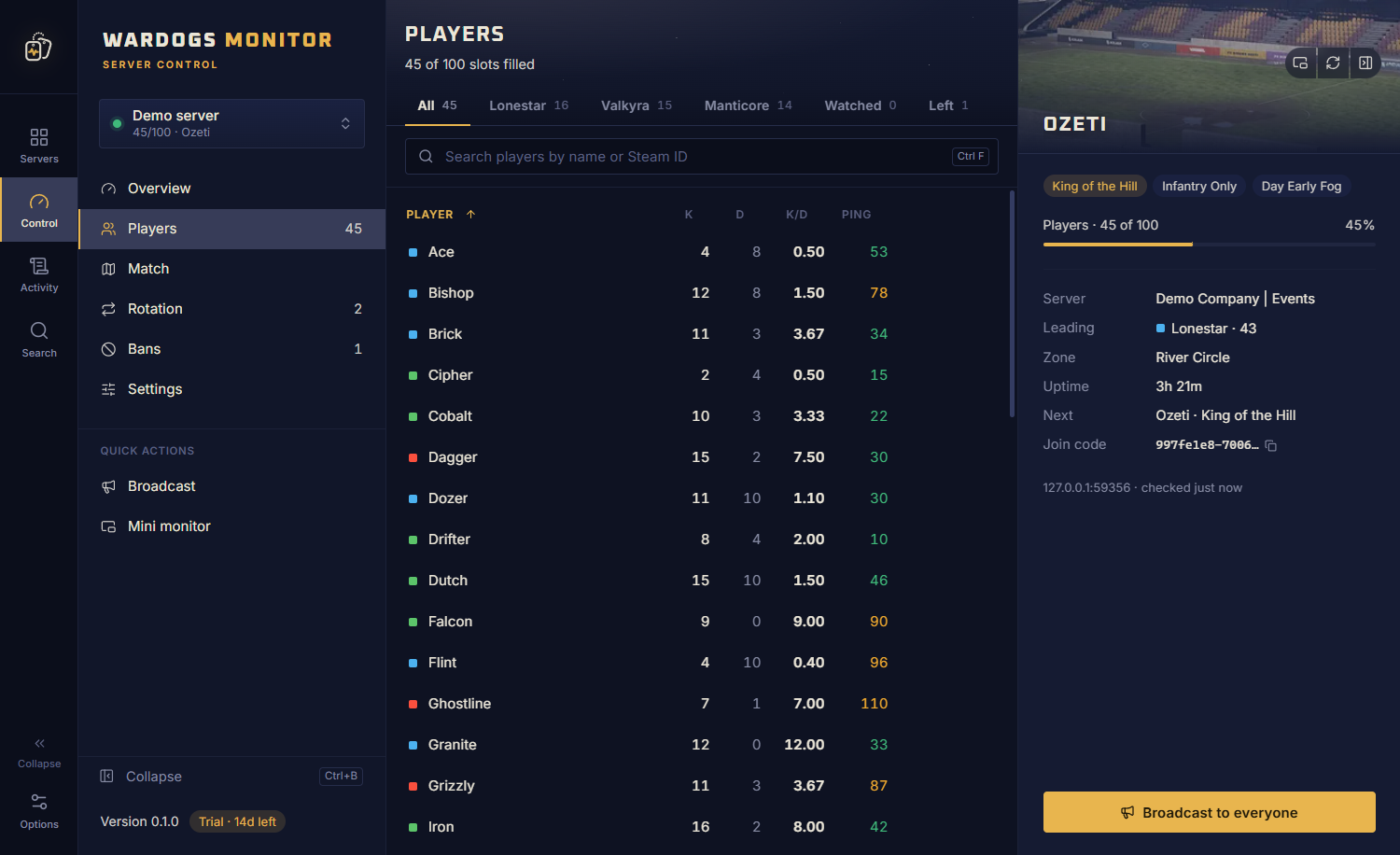
The players list of a Wardogs server, sortable by kills, deaths, K/D and ping, filterable by faction.

Matches and maps

Restart, end or change the map

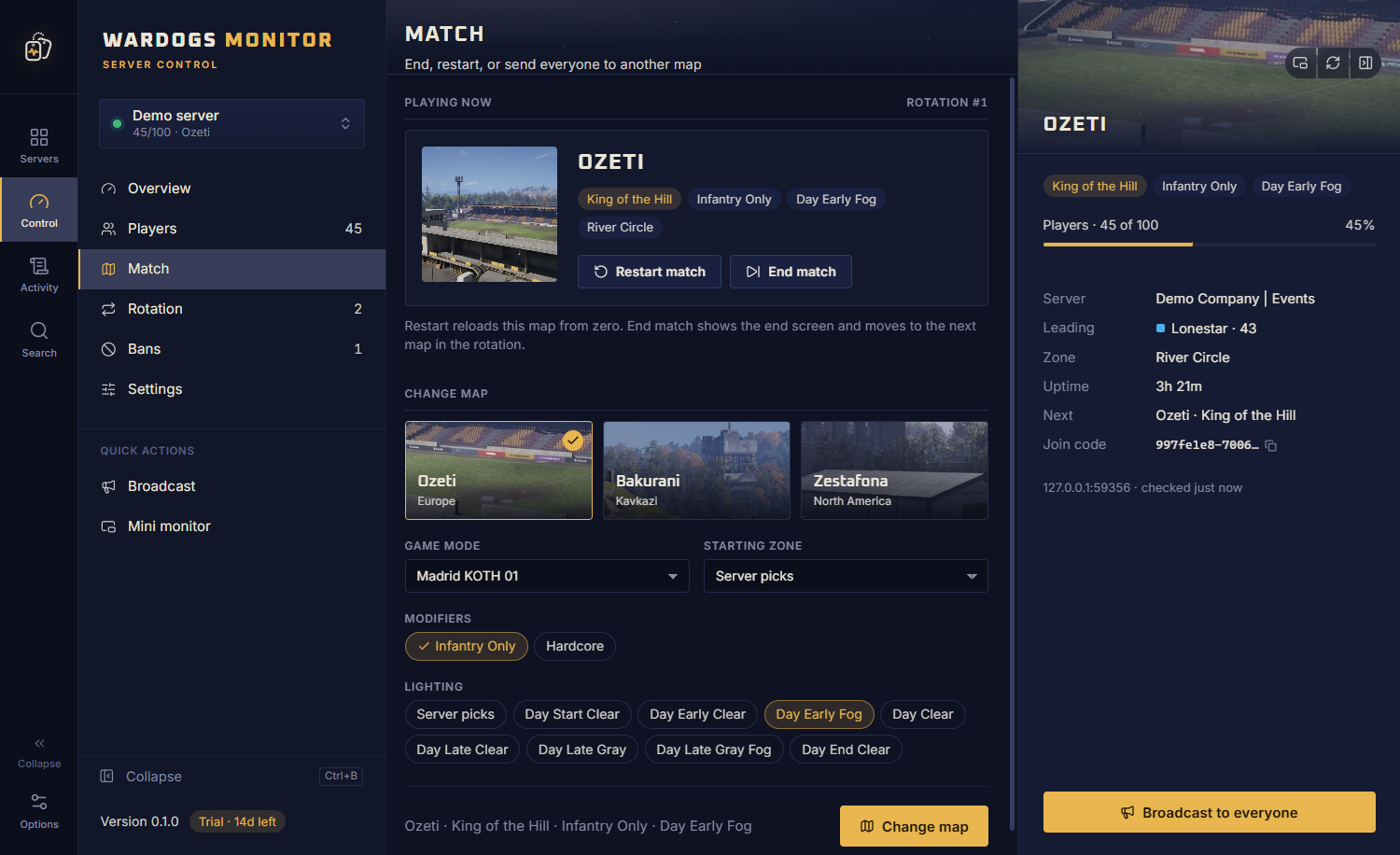
See the map, mode and score race live, and send everyone to the next map with the exact setup you want.

  • Restart or end the match, with a confirm first
  • Pick the map, mode, modifiers, lighting and zone
  • Build the map rotation with drag and drop
The match page: the map playing now with restart and end buttons, and a picker for the next map, mode, modifiers, lighting and zone.

Broadcast

Talk to the whole server

Announce a restart, an event or the rules in a click. Keep your usual messages ready to send.

  • Saved messages one click away
  • Broadcast from a widget while you play
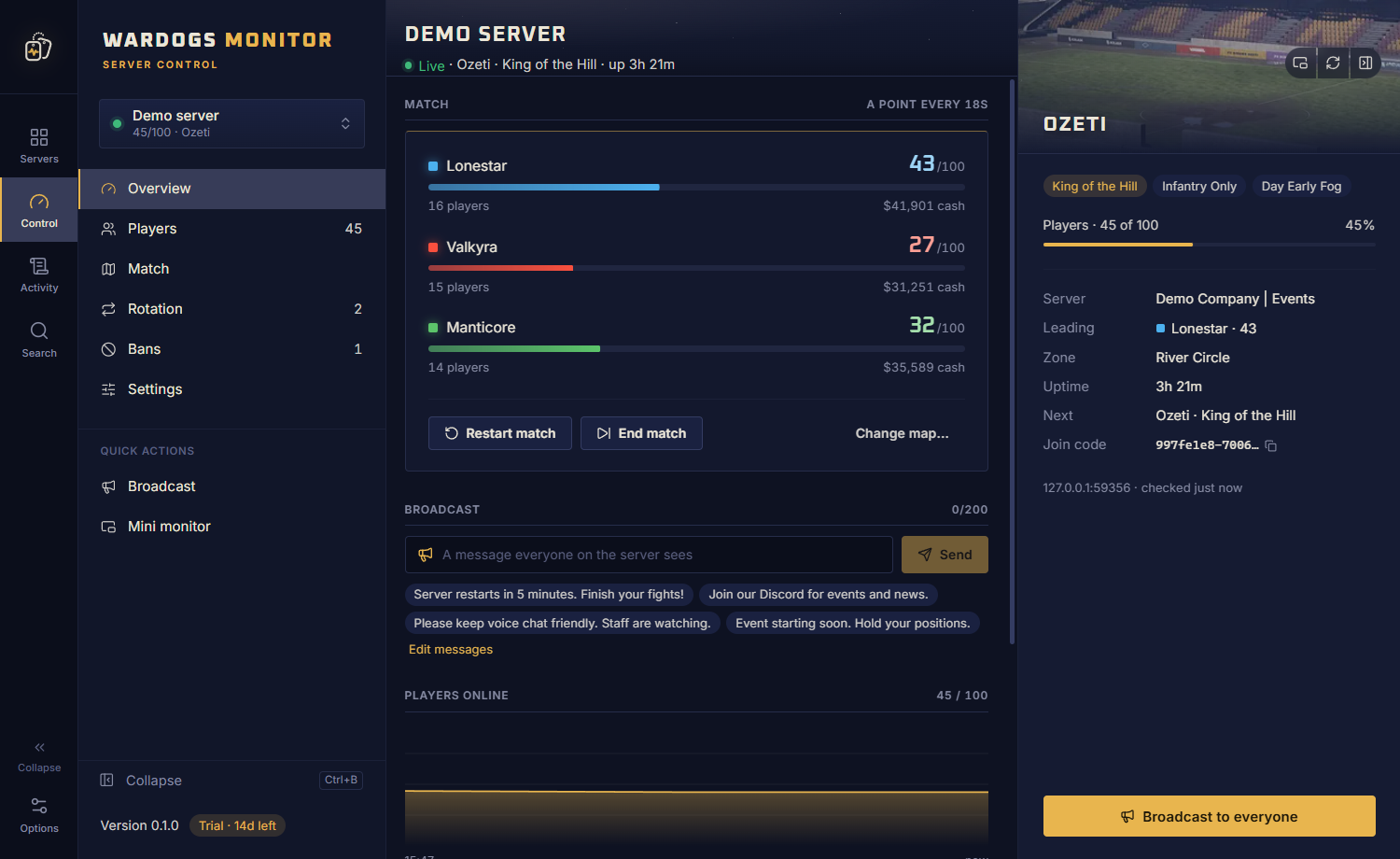
A Wardogs server's overview with the score race, match buttons, a broadcast box with saved messages and the players chart.

How it connects

Your PC talks straight to your server

Wardogs Monitor connects directly to your server's RCON address with your RCON password. There is no website, relay or chat bot in between holding your password: it is encrypted on your PC and only ever sent to your own server.

Add the RCON address, port and password once, then switch between all your servers in a click. Read the setup guide.

Beyond a console

More than an RCON console

  • Live view of every server: players, score race and uptime
  • Alerts when a server goes down and when it is back
  • One ban list shared across all your servers
  • Server settings: password, slots, limits, team balance, name and banner
  • An activity log of every action taken from the app
  • A built-in demo server to try every button safely

FAQ

Wardogs RCON, answered

What is RCON on a Wardogs server?

RCON (remote console) is how server admins control a Wardogs server from outside the game. The server answers RCON requests at its RCON address and port, and only when they carry the RCON password. Wardogs Monitor talks to it for you, so every admin action is a button instead of a command.

Where do I find my Wardogs RCON password?

The RCON password is set in ServerSettings.ini on your server. If you rent your server, your host's panel usually shows the config file and the RCON address and port; on BisectHosting, for example, that is the panel's IP and port.

Do I need to know console commands?

No. Kicking, banning, messaging, moving players between factions, broadcasting, restarting or ending a match and changing the map are all buttons and menus. Right-click a player for every action on them.

Does it work with rented servers?

Yes. Any Wardogs server you have RCON access to works, whether you host it yourself or rent it from a provider. You only need the RCON address, port and password.

Is my RCON password safe?

It is stored only on your PC, encrypted with Windows DPAPI for your Windows account, and only ever sent to your own server. No website or bot in between ever sees it.

Is Wardogs Monitor made by the developers of Wardogs?

No. Wardogs Monitor is an independent tool for server admins. It is not made by, endorsed by or affiliated with Bulkhead or Team17; it uses the RCON access your own server provides.

Run your first command in a minute

Download the free 14-day trial, add your server's RCON details, and see it live in a minute. No card needed.